JAVA MOD COMPARISON · CHECKED OCTOBER 2, 2026

7 Minecraft Backrooms Mods Compared by Version, Loader & Fit

Looking for a Minecraft Backrooms mod? The right pick depends first on your Minecraft release and loader, then on whether you want a focused liminal maze, a found-footage horror setup, or a broader level-and-entity system.

This guide compares seven first-party project listings checked on October 2, 2026. It links to official project pages, not guessed file URLs, and does not claim that the mods were benchmarked in-game.

External source pages open directly. Check the file type, edition, and version before downloading.

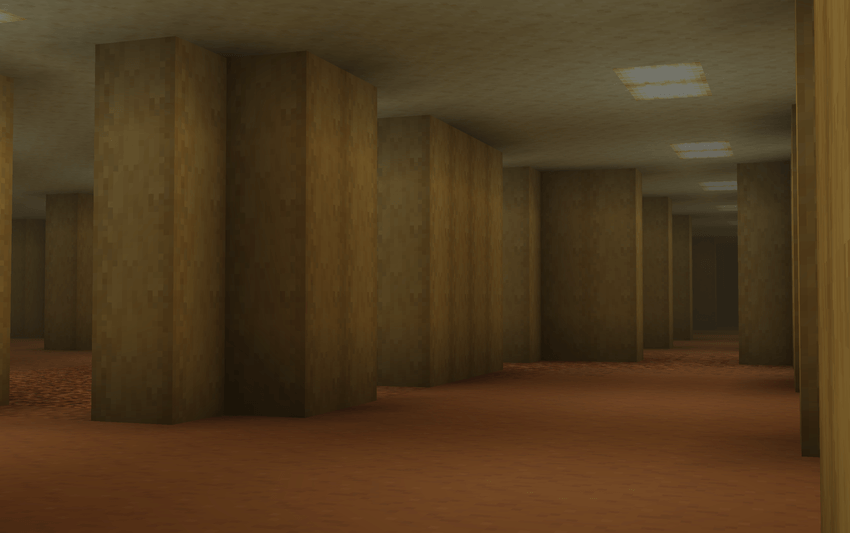
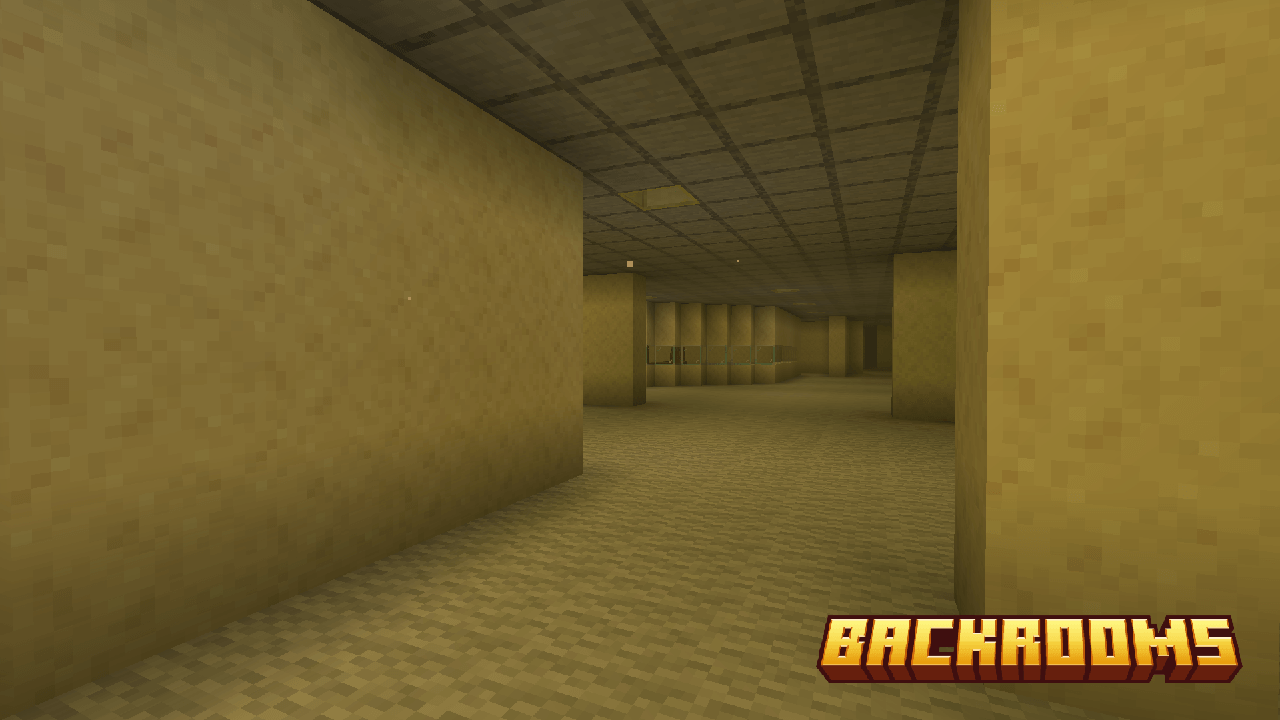
Official Backrooms! project gallery image showing a yellow liminal corridor
First-party CurseForge gallery image from Backrooms!; open its file list for compatibility. Open the official project page.

THE SHORT ANSWER

Quick verdict: match the file to your setup first

There is no universal best Backrooms mod for Minecraft Java. If you are on 1.21.1 NeoForge, compare The Backrooms Update with the 1.21.1 file for Behind the Cubes. For an existing 1.20.1 Forge profile, start with Faithful Backrooms, Uniks Backrooms, or Backrooms.; for 1.20.1 Fabric and a cinematic found-footage direction, inspect Backrooms Found Footage and its listed dependencies before installing.

A project page may list more than one Minecraft version or loader. The version attached to a file matters more than the project title, and a newer release number does not guarantee support for your game version. Treat the table as a dated snapshot; re-open the official file list and changelog before changing a working instance.

  • Already know your game version? Filter by that exact version and loader before choosing a mood or feature set.
  • Do not mix a Java .jar mod with Bedrock Edition or assume that a modpack archive is a standalone mod.
  • For large or dependency-heavy projects, create a separate launcher profile and test a copied world first.

VERSION FIRST

Minecraft Backrooms mod versions and loaders at a glance

The table focuses on project-page facts that change the decision: latest checked file line, game version, loader, package size, and the project page that owns the release. Sizes are shown as listed and are not a performance ranking. A large file may include substantial assets, while a small download can still require other mods.

The phrase ‘latest checked’ means the newest relevant file we could verify on the listed project page on October 2, 2026. Some projects publish several files for different Minecraft releases. Click through and select the file that matches your exact game version rather than downloading the first visible item.

Project Minecraft version / loader Listed file size Best fit to inspect
Backrooms! 26.2; also 26.1.x and 1.21.1
Forge / Fabric / Quilt / NeoForge
1003.9 KB Multiple version choices
The Backrooms Update 1.21.1
NeoForge
304.4 KB Focused 1.21.1 candidate
Faithful Backrooms 1.20.1
Forge
42.1 MB Portal-oriented 1.20.1
Backrooms Found Footage 1.20.1
Fabric
110.5 MB Found-footage style
Uniks Backrooms 1.20.1
Forge
10.8 MB Entity-led 1.20.1
Behind the Cubes [Backrooms] 1.21.1; older 1.20.1 line
NeoForge 1.21.1; older Forge/NeoForge
5.0 MB (1.21.1) Newer 1.21.1 line
Backrooms. 1.20.1
Forge
13.9 MB Atmosphere-led 1.20.1

EDITORIAL FIT, NOT A BENCHMARK

Choose the Backrooms mod by the experience you want

These are editorial fit suggestions based on the projects’ descriptions, release metadata, dependencies, and update notes. They are not controlled horror, frame-rate, or multiplayer tests. Start with compatibility, then use the project’s own gallery and changelog to decide whether its atmosphere and mechanics sound right for your group.

If your game version is not explicitly listed on the file page, skip that file. Avoid forcing a loader bridge or copying a configuration from another version just to make a project start; those changes can produce a world that launches once but breaks when entities, portals, or resources load.

Official gallery screenshot from The Backrooms Update showing an interior Backrooms hallway
First-party CurseForge gallery image for The Backrooms Update; it does not prove support for every game version. Open the official project page.

For 1.21.1 NeoForge

The Backrooms Update is a focused candidate with a small listed file; Behind the Cubes is another 1.21.1 option whose project notes describe continuing development on that newer line. Read each changelog before choosing between their structures and progression.

For 1.20.1 Forge

Uniks Backrooms, Faithful Backrooms, and Backrooms. target this older Java line. Their sizes and feature emphasis differ: check GeckoLib requirements for Uniks and the Immersive Portals note for Faithful Backrooms before comparing them in a clean profile.

For 1.20.1 Fabric footage style

Backrooms Found Footage is the clearest match among this set for a cinematic found-footage setup. It is also the largest file and lists Simple Voice Chat and GeckoLib requirements, so check the full page notes and renderer warnings first.

For multiple loader choices

Backrooms! lists releases for several loaders and more than one Minecraft version. That makes it worth checking if you need a specific loader, but it does not mean one file works everywhere: choose the matching version-loader row on the official project page.

FIRST-PARTY PROJECT NOTES

Seven official project pages: what each one fits

Use these notes to narrow the list, not to treat the project names as a guarantee of identical gameplay across versions. The maker’s release listing is the authority for its own current file, dependencies, and supported loader. We have not independently tested every build or every combination of graphics mods.

The screenshots below come from the linked project galleries. They illustrate each project’s setting; they are not our captured benchmarks and cannot prove version compatibility or multiplayer behavior.

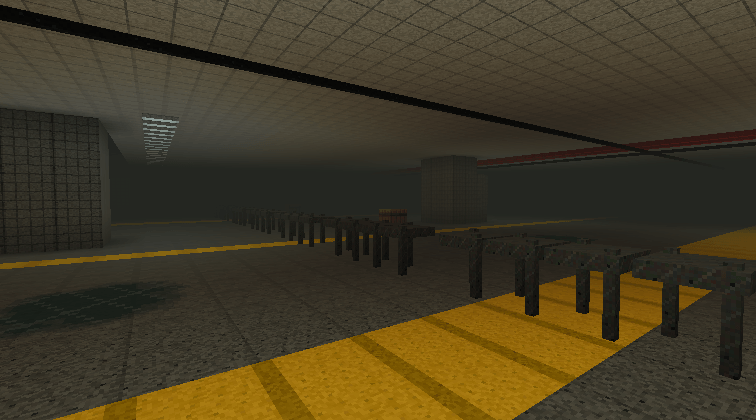
Official Uniks Backrooms gallery screenshot showing an industrial liminal corridor
First-party CurseForge gallery image from Uniks Backrooms; check its project page for the current file. Open the official project page.

Backrooms!

1.1.1 · 2026-07-06 · 26.2; also 26.1.x and 1.21.1 · Forge / Fabric / Quilt / NeoForge · 1003.9 KB
The project lists versions including Minecraft 26.2 as well as older lines such as 26.1.x and 1.21.1, with Forge, Fabric, Quilt, and NeoForge options. Because the listing spans several game generations, open the file list and match both version and loader. Do not interpret the project-wide loader list as support for every file.

Open official project page

The Backrooms Update

2.0.0 · 2026-07-27 · 1.21.1 · NeoForge · 304.4 KB
The checked 2.0.0 file is for Minecraft 1.21.1 on NeoForge. The project page lists Java 21 and no dependencies. Its upgrade note says portals built with 1.3.0 or earlier must be rebuilt, so existing worlds may need a maintenance step before you update.

Open official project page

Faithful Backrooms

0.3.0.1 · 2026-07-27 · 1.20.1 · Forge · 42.1 MB
The checked 0.3.0.1 release targets Minecraft 1.20.1 Forge. Its notes describe Immersive Portals integration as experimental and mention changes to earlier features. Choose it when that portal-oriented direction interests you, but read the current changelog if you rely on an older world or addon.

Open official project page

Backrooms Found Footage

1.2.0 · 2026-05-24 · 1.20.1 · Fabric · 110.5 MB
This 1.20.1 Fabric project is a large 110.5 MB download and lists Simple Voice Chat and GeckoLib as requirements, with Veil included. The project warns about Sodium/Iris incompatibility and some integrated graphics or macOS issues. It credits SpacePotato as original creator; review the current comments and release notes before troubleshooting.

Open official project page

Uniks Backrooms

1.5.5 · 2026-09-08 · 1.20.1 · Forge · 10.8 MB
Uniks Backrooms 1.5.5 is listed for 1.20.1 Forge and includes a GeckoLib 4.8.3 requirement. Its description calls out nine entities, a sanity system, and several levels. That feature mix may suit players who want a more entity-led progression, but use the source page to check configuration and file compatibility.

Open official project page

Behind the Cubes [Backrooms]

1.6.11 · 2026-08-31 · 1.21.1; older 1.20.1 line · NeoForge 1.21.1; older Forge/NeoForge · 5.0 MB (1.21.1)
The checked 1.6.11 release is for 1.21.1 NeoForge. The project also has an older 1.20.1 line, but its changelog says development there has ended and future content is for 1.21.1. If your world remains on 1.20.1, make that support boundary part of your choice rather than assuming new content will backport.

Open official project page

Backrooms.

2.0 · 2026-07-06 · 1.20.1 · Forge · 13.9 MB
The 2.0 listing targets 1.20.1 Forge. Its project description leans into psychological stalking and atmosphere instead of positioning the mod only as a creature roster. Check the current gallery and configuration notes to decide whether that tension-first direction fits your play style.

Open official project page

KEEP THE INTENT SEPARATE

Standalone mod, modpack, and Bedrock are different choices

A standalone Minecraft Java mod is usually installed into a profile with the correct loader and any required dependencies. A modpack is a curated collection that may bundle many mods, configurations, and resource files; it can be easier to reproduce as a whole but less useful when you only want one feature. ‘Into the Backrooms’ is a modpack name, not another alias for the standalone Backrooms Found Footage project.

The existing Minecraft Horror Modpacks comparison owns the broader pack-selection intent. The current Into the Backrooms entries on CurseForge and Modrinth are separate platform packages and version tracks: CurseForge 2.0.4 .zip (78.1 KB, September 16, 2026) and Modrinth 1.0.3 .mrpack (1,557,402 bytes, June 10, 2026). They are not interchangeable files or evidence that one platform’s number updates the other. These Java mods also do not install into Bedrock Edition; use a Bedrock-specific add-on page instead.

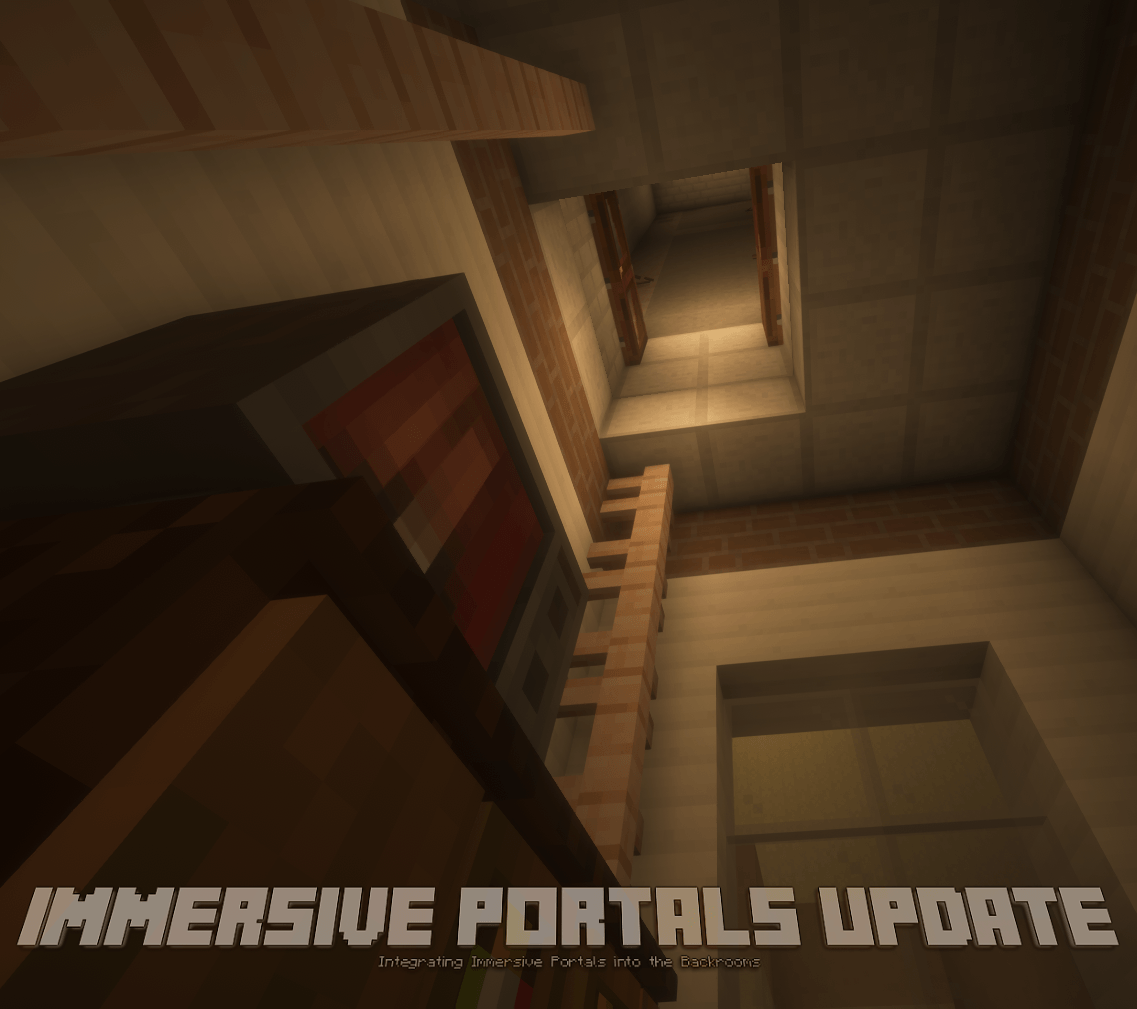
Official Faithful Backrooms gallery image promoting its Immersive Portals update
First-party Faithful Backrooms gallery media; the project describes this integration as experimental. Open the official project page.

LOWER THE ROLLBACK COST

How to install a Backrooms mod in Minecraft without risking a main save

Use the exact launcher and loader named by the project. The safest practical workflow is a clean test profile, a copied or disposable world, and a short checklist of version, dependencies, and renderer compatibility. If a crash occurs, remove the new mod from that isolated profile before changing a world you care about.

A mod page’s Install control can hand off through a launcher or a platform-specific package. This guide links to official project pages so you can inspect the current file and publisher yourself; it does not provide a permanent direct-file URL or claim that a file has been security-scanned.

1

1. Record your game version

Write down the exact Minecraft Java release shown in the launcher profile. ‘1.20’ is not precise enough when a project file explicitly says 1.20.1 or 1.21.1.

2

2. Confirm the loader

Check Forge, Fabric, NeoForge, or Quilt on the specific file row. A project overview can describe several loaders while an individual release supports only one.

3

3. Read requirements and conflicts

Install listed dependencies in the same profile, then read warnings about shaders, Sodium/Iris, voice chat, Java version, server setup, or world changes.

4

4. Test away from the main world

Create a separate launcher instance and a new test world. Check that the menu loads, the world opens, and the expected portal, level, or entity appears before inviting others.

5

5. Keep a rollback path

Save the file name, source page, config changes, and a world backup. Update one project at a time so a problem can be traced to a specific change.

CHECK AGAIN BEFORE UPDATING

What this comparison can and cannot tell you

The release date, game version, loader, file size, requirements, and changelog notes in this guide were checked against project-owner listings on October 2, 2026. Those facts may change after this date; the official page is the live source for the current file. Version numbers and size are metadata, not a guarantee of safety, quality, or smooth frame rate.

The ‘best fit’ labels are editorial reading aids derived from stated compatibility and project descriptions. We did not claim a reproducible gameplay benchmark or verify every multiplayer setup. If your launcher, server, or graphics stack is unusual, use a fresh profile and consult the current project support channel before moving a world.
Next pages

Minecraft Horror Modpacks

Compare whole Java modpacks, including the platform-specific Into the Backrooms releases.

Compare modpacks

Best Minecraft Horror Mods

Browse broader Java and Bedrock horror routes without narrowing to Backrooms.

See broader picks

Minecraft 1.20.1 Horror Mods

Check Java projects grouped around the 1.20.1 version line.

Compare 1.20.1

Minecraft 1.21.1 Horror Mods

Filter projects for the 1.21.1 loader and release line.

Compare 1.21.1

Minecraft Bedrock Horror Mods

Use Bedrock-specific add-on formats and installation guidance.

Open Bedrock guide

How to Install a Java Horror Mod

Follow a clean-profile setup and copied-world test workflow.

Review setup steps

FAQ

Minecraft Backrooms mod FAQ

What is the best Backrooms-themed Minecraft Java mod?

There is no single best choice for every setup. First filter by Minecraft version and loader; then compare the experience. For 1.21.1 NeoForge, inspect The Backrooms Update and Behind the Cubes. For 1.20.1, choose among the Forge projects or the Fabric Found Footage project based on its dependencies and warnings.

How do I install a Backrooms mod in Minecraft?

Create a separate Java launcher profile with the exact Minecraft release and loader named by the project. Open its official page, choose the matching file, install any listed dependencies, and test a new world before using a main save. Do not import a Java `.jar` into Bedrock.

Can these Backrooms mods run on Minecraft Bedrock?

The projects compared here are Java Edition mods for Forge, Fabric, NeoForge, or Quilt. They are not Bedrock `.mcaddon` files. Bedrock add-ons use a different format and installation path, so use a Bedrock-specific horror add-on guide.

Which Backrooms mod works with Minecraft 1.20.1 Forge?

The checked pages list Uniks Backrooms, Faithful Backrooms, and Backrooms. for 1.20.1 Forge. Check each current file row and its dependencies: Uniks lists GeckoLib, while Faithful Backrooms notes experimental Immersive Portals support.

Is Into the Backrooms the same as Backrooms Found Footage?

No. Backrooms Found Footage is a standalone mod project. Into the Backrooms is a modpack with separate CurseForge and Modrinth package/version tracks. Choose the matching platform page and archive type; do not treat their version numbers or files as interchangeable.