Want a visible entity?
Start with Cosmic Horror or Kenny. Confirm the exact Fabric and Minecraft version pair, then test in a new world before mixing the project with a large modpack.
Open Cosmic Horror sourceFabric loader guide
Fabric horror mods are Java Edition projects that need a Fabric profile rather than a Forge profile or a Bedrock addon. The best pick depends on your Minecraft version, whether the project runs on the client or server, its dependencies, and the kind of fear you want. This guide compares six source-checked projects and then shows a clean way to install and test them.
The project records below were checked through official Modrinth metadata and Fabric documentation on August 15, 2026. They are dated research notes, not a promise that any release will remain current. Open the source page, confirm the live file, and use a separate instance or copied world before installing.
External source pages open directly. Check the file type, edition, and version before downloading.
Start with the decision
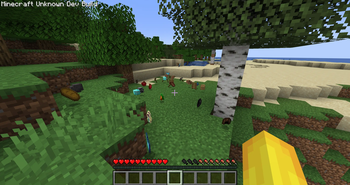
If you want a visible creature or world event, start by reading the official Cosmic Horror or Kenny [HORROR] project page. The checked Cosmic Horror release was 0.0.5 for Fabric 1.20.1, while Kenny 6.0.0 has Fabric files for both 1.20.1 and 1.21.1. Those version labels matter more than a video title: the wrong Minecraft release can make a mod appear broken even when the file itself is valid.
If you prefer a server event, Server-Side Horror is the more relevant comparison. If you want a small social or chat disturbance, inspect Horror messages, Fake Join/Leave Messages, or Obfuscated. These are not interchangeable: some are server-side, some require the client, and some are only useful when every player uses the same matching setup.
The practical answer is to choose by compatibility first and scare style second. Fabric is a loader and development toolchain, not a guarantee that every horror mod shares the same Minecraft versions or dependency list. A source page with a visible file history, loader label, game-version filter, and dependency section is a better starting point than a repost that only promises a one-click download.
Dated official metadata check
The table uses the first-party Modrinth API records checked on August 15, 2026. File size is the primary file size returned for the checked release and is useful for planning, not a quality score. A small server-side project can still change the mood of a session, while a larger client mod may add more assets or world logic.
Use each project link as the source of truth. The page may publish a newer version, change a dependency, or remove an older file after this guide is updated. These links are intentionally stable project pages rather than guessed CDN URLs with a timestamp or session token.
Match the experience
A list of Fabric horror mods becomes useful only when it explains what will actually change in a world or server. Cosmic Horror and Kenny are the most natural first reads for players who want to see an entity or a stronger world event. Server-Side Horror belongs in a different test because its server-side behavior changes what the host must install and what clients can see.
The smaller chat projects are better for a controlled social scare. They may be easier to fit into a light profile, but their low file size does not prove universal compatibility. Check the supported game versions, server requirement, dependency list, and recent release notes before adding one to a public server.
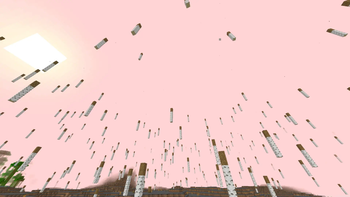
Start with Cosmic Horror or Kenny. Confirm the exact Fabric and Minecraft version pair, then test in a new world before mixing the project with a large modpack.
Open Cosmic Horror sourceRead Server-Side Horror carefully. Its server-side classification changes who needs the file and makes a local single-player test less representative.
Open server-side sourceCompare Horror messages, Fake Join/Leave Messages, and Obfuscated. Their small footprints are useful, but the source page still decides supported versions and server behavior.
Browse the project indexClean setup workflow
Install Fabric through the official Fabric installer, then select the same Minecraft version named on the project page. Fabric Loader is not Forge, and a Fabric .jar is not a Bedrock .mcaddon. If the project lists Fabric API, add the matching API release only after checking its supported game version on the Fabric API page.
The official Fabric player documentation is useful for the launcher step, but the mod project page remains the authority for that project's dependencies and loader range. Do not copy a .jar into an unrelated Forge instance and assume the error is a horror-mod bug.
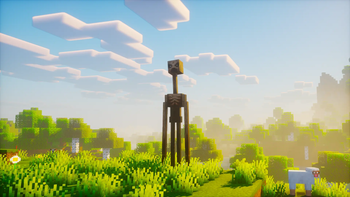
Use a fresh Java profile or instance for the first test. Keep your main survival world and unrelated Forge profile out of the experiment.
Choose the Minecraft release named by the project. Do not replace 1.20.1 with 1.21.1 merely because the number is newer.
Add Fabric API or another dependency only when the project page requires it, and match the dependency to the same Minecraft version.
Use the official project page to confirm the filename and release. Avoid re-uploaded files, guessed CDN paths, and download buttons that hide the source.
Launch a new world, check logs if the game closes, and confirm the mod behaves before adding it to an existing world or server.
For server-side or client-and-server projects, make the host and players use the exact compatible release. A single-player pass does not prove server compatibility.
Limits and source policy
A dated version check is not a permanent latest-version claim. The Modrinth API records above show what was returned on August 15, 2026; the project page may now show a different release, a changed file, or a new dependency. Re-open the source page immediately before installation and compare the live game-version filter with your Fabric profile.
This page also does not turn every horror project into a safe recommendation. A project can be real and still be unsuitable for an old world, a shared server, a low-memory computer, or a profile that already contains incompatible libraries. Keep backups, read the project notes, and treat a crash log as evidence about the loader or dependency state rather than as proof that the project is malicious.
For Verity, use the site's Java guide and source checks instead of assuming that a Fabric horror mod can replace a Verity Bedrock addon. For Forge lists and full bundled profiles, use the existing Minecraft horror mods guide and horror modpacks guide. For group play, the multiplayer horror mods guide has a separate client/server decision path.
Next pages
Compare the broad Bedrock and Java horror-mod choices before narrowing to a loader.
Open broad horror guideCompare bundled Forge and Fabric profiles when you want a complete setup rather than one mod.
Open modpack guideCheck server, client, voice, and group-play constraints before inviting friends.
Open multiplayer guideCompare the existing 1.20.1 Java list when your profile is fixed to that release.
Open 1.20.1 guideReview Java availability and loader checks for Verity instead of guessing from a Fabric keyword.
Open Java guideFAQ
Yes. The checked Modrinth results include Fabric projects such as Cosmic Horror, Kenny [HORROR], Server-Side Horror, Horror messages, Fake Join/Leave Messages, and Obfuscated. Their supported Minecraft versions and client/server roles are different, so choose from the project page rather than treating every Fabric horror mod as interchangeable.
There is no universal best pick. Cosmic Horror and Kenny are useful first comparisons for entity or world pressure, while Server-Side Horror fits a server-led effect and the smaller chat projects fit lightweight social tension. Your Minecraft version, memory, and multiplayer setup should decide the final choice.
Usually not. Fabric and Forge are different mod loaders. Use a Forge release only when the project explicitly publishes one, and do not put a Fabric .jar into a Forge profile as a compatibility test.
Some do and some do not. The checked list includes 1.21.1 Fabric releases for Kenny and Server-Side Horror, while the checked Cosmic Horror release targets 1.20.1. Always filter the official project page by the exact Minecraft version you are running.
It depends on the project's client/server classification. Server-side projects may put the main file on the server, while client-and-server projects need matching files on both sides. Read the project page and test with the actual server profile before a group session.
Prefer the official project page on Modrinth or the creator's documented source. This guide uses project-page links instead of guessed permanent file URLs because filenames, releases, dependencies, and signed download links can change.