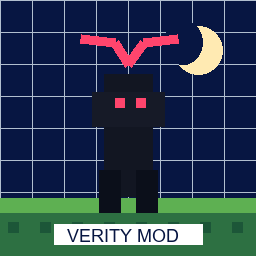
Want a night stalker?
Compare The Man From The Fog and The Obsessed. Match Forge 1.20.1, test in a new world, and observe spawn behavior before adding other entity mods.
Open The Man From The FogForge loader guide
Minecraft horror mods Forge searches are really asking a loader question: which Java project matches Forge, your Minecraft version, your client/server setup, and the kind of fear you want? This guide compares five Forge-first projects, then shows how to test one without mixing loaders or risking a main world.
Project and file metadata were checked through the official Modrinth API on August 19, 2026. These are dated research notes, not a permanent latest-version promise. Open the live project page before installing and re-check the game version, loader, dependencies, and release status.
External source pages open directly. Check the file type, edition, and version before downloading.
Start with the decision
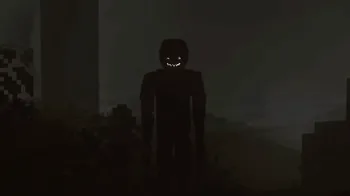
If you already use Minecraft Java with Forge, start with The Obsessed for a current psychological stalker concept, The Man From The Fog for a recognizable night encounter, or The Anomaly for a smaller Forge experiment. From The Caves and The Box Of Horrors are better treated as heavier, more controlled tests because their reviewed files are much larger or marked as beta-oriented projects. There is no universal best Minecraft horror mod for Forge: the right choice depends on the exact game version, loader, server role, and performance budget.
The important distinction is loader-first rather than thumbnail-first. A Forge `.jar` belongs in a Forge profile only when its official project record lists the same Minecraft release. A NeoForge or Fabric file may look similar and may even share a project name, but it is not automatically interchangeable. Check the project page, select the game-version filter, read the loader label, and confirm dependencies before you move a file into a `mods` folder.
This page is a source and setup guide, not a mirror. The table uses stable official Modrinth project pages instead of guessed CDN URLs. Use the live source page to confirm the current release immediately before installation, then run one mod in a clean profile and copied world. That sequence creates evidence when a crash or missing entity appears instead of leaving several unknown changes in one save.
Dated official metadata check
The table below uses matching Forge records returned by the official Modrinth API on August 19, 2026. File size is a planning signal, not a quality or safety score. A small file can still create expensive entity behavior, while a large file can include more assets, structures, sounds, or world logic. The live project page may publish a new release after this guide is read.
The client/server column is intentionally conservative. When the checked project record or instructions need a fresh interpretation, the table says to check the project page instead of inventing a universal requirement. Open the project link, verify the current file, and keep the exact filename beside your launcher profile.
Match the experience
A useful Forge list explains what will change during play. The Man From The Fog and The Obsessed are easy starting points when you want a visible threat that changes the rhythm of a night. The Anomaly is a better first experiment when you want a smaller profile and fewer assets to isolate. From The Caves and The Box Of Horrors need more patience: their larger footprints or project status make a separate instance and copied world part of the recommendation, not an optional extra.
Do not turn the file size into a ranking. The 1.50 MB Anomaly file does not prove that it will be lighter during every session, and the 90.75 MB Box Of Horrors file does not prove that it is more frightening. Use file size to plan disk space and first-launch patience, then use the project's description, issue notes, dependencies, and your own test log to decide whether the profile fits.
Compare The Man From The Fog and The Obsessed. Match Forge 1.20.1, test in a new world, and observe spawn behavior before adding other entity mods.
Open The Man From The FogRead The Anomaly first. Its checked Forge file is smaller, but the official page still decides dependencies, supported versions, and how the project behaves in a server profile.
Open The Anomaly sourceUse From The Caves or The Box Of Horrors only after creating a separate instance and backup. A larger project needs a clearer rollback point.
Open From The Caves sourceDo not mix loader assumptions
The keyword cluster includes Forge, NeoForge, Fabric, CurseForge, and version variants because players often use the words interchangeably. They are not the same decision. A project may publish a Forge 1.20.1 file, a NeoForge 1.21.1 file, and a Fabric file under one recognizable name. That is useful choice, but it also creates more chances to put the wrong file in the wrong profile.
The adjacent 1.21.1 records checked for Kenny and Server-Side Horror include NeoForge options. The existing Minecraft 1.21.1 horror mods guide owns the version-first comparison, while this page owns the loader-first boundary. If your profile is Fabric, use the Fabric horror mods guide. If you are choosing a complete profile rather than one Forge mod, use the Minecraft horror modpacks guide.
A search result or filename can suggest a loader, but it cannot replace the official version record. Confirm the exact game version, loader, dependency list, and client/server classification on the project page. If those fields disagree with your launcher profile, stop and solve the mismatch before importing anything.
Clean setup workflow
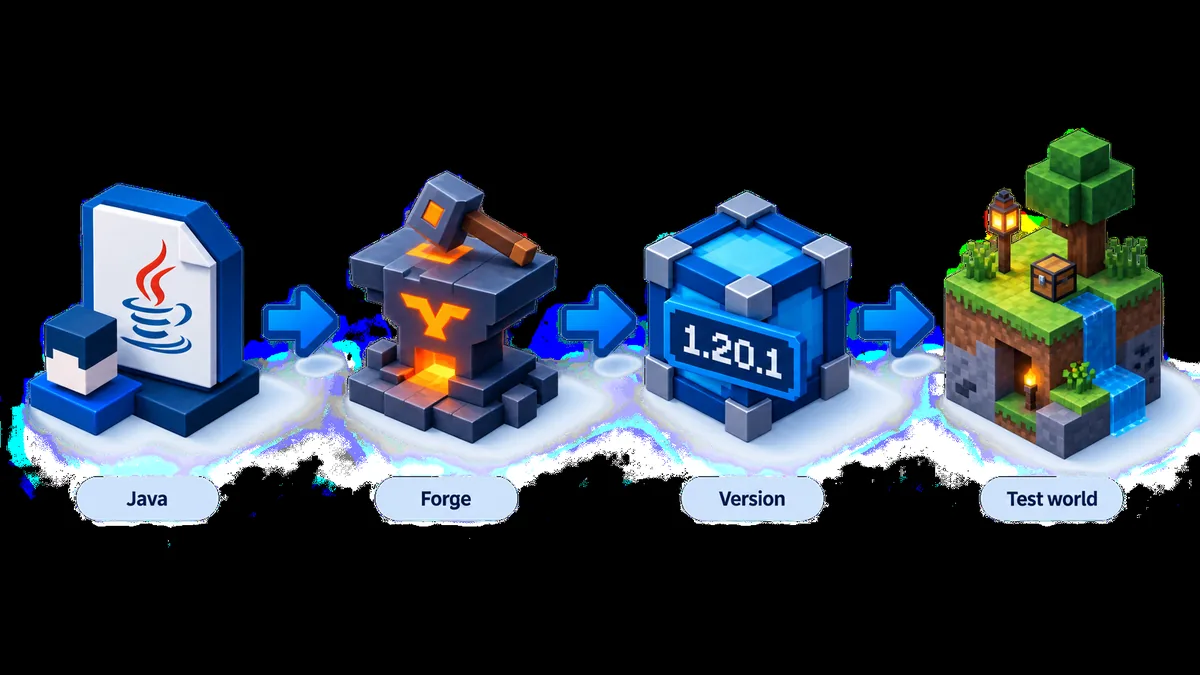
Create the profile before downloading the file. A clean Minecraft Java instance makes a missing dependency, wrong loader, or incompatible release easier to identify. Keep your main survival world and existing horror modpack outside the first test. When a project has both Forge and NeoForge records, select the file only after the launcher profile and project page agree.
The first launch is a compatibility test, not a full play session. Start with one project, one world, and no extra shaders or entity mods. Record the exact project URL, version, filename, loader, Java runtime, and first error line if the game closes. That note is more useful than repeatedly reinstalling every file in a large `mods` folder.
Select the exact Minecraft release named by the project. Keep the main save and unrelated Fabric, NeoForge, or modpack files out of this instance.
Use the project record to choose Forge and the compatible loader version. Do not treat a nearby NeoForge or Fabric file as a substitute.
Check the release status, game-version filter, client/server role, dependency list, instructions, and project notes before saving the file.
Use the official project page and keep the filename in your notes. Avoid mirrors, guessed CDN paths, and download buttons that hide the source.
Test spawn behavior, logs, performance, and the actual horror event before adding the project to a valuable save or shared server.
Freshness and limits
The version check is a dated snapshot from August 19, 2026. The checked Modrinth records confirm project identity, matching game versions, loader labels, file names, sizes, and reachable official file metadata. They do not prove that a file is virus-free, that a project will remain maintained, or that a new release will preserve the same behavior. Re-open the official project page immediately before installing.
This guide also does not provide a permanent direct file URL. Modrinth may change file records, signatures, or release availability. A stable project page gives you the creator context, version history, dependencies, changelog, and current download choice. If the page no longer lists Forge for your Minecraft release, do not force the older file into a newer profile; use the version guide or choose a different project.
For multiplayer, the Forge guide is only the loader decision. The server and every client may need matching files, dependencies, and configuration. Use the site's multiplayer horror mods guide for synchronization, voice features, consent, and failed-join checks. If the mod disappears or crashes, use the troubleshooting workflow and keep the first log error instead of changing several variables at once.
Next pages
Use the version-first Java comparison when your profile is fixed to 1.20.1.
Open the 1.20.1 guideCheck the adjacent 1.21.1 Forge, NeoForge, and Fabric boundary.
Open the 1.21.1 guideCompare the alternate Java loader when Forge is not the right profile.
Open the Fabric guideChoose a complete bundled profile when one Forge mod is not enough.
Open the modpack guideCheck client/server synchronization before inviting friends.
Plan multiplayerFAQ
There is no universal best pick. The Man From The Fog and The Obsessed fit an entity-led Forge 1.20.1 test, The Anomaly is a smaller first variable, and From The Caves or The Box Of Horrors suit heavier experiments. Match the official project record to your Minecraft version, loader, dependencies, and performance budget before choosing.
The dated Modrinth check found Forge 1.20.1 records for The Man From The Fog, The Obsessed, The Anomaly, From The Caves, and The Box Of Horrors. Re-open each official project page because release files, dependencies, and supported versions can change after this guide's check date.
Not automatically. Forge, Fabric, and NeoForge are separate loader choices. Use a file only when the official project record lists the loader and Minecraft release in your active profile. Renaming a `.jar` does not make it compatible.
It depends on the project. Some records require both client and server, while others have different server or client behavior. Read the project's current instructions and test the actual server profile; do not infer the requirement from the project name or a search snippet.
Start from the official Modrinth or creator project page linked in the comparison table. This page does not claim to host the files or provide a guessed permanent CDN URL. Check the uploader, release, game version, loader, dependencies, and filename on the live source page before installing.
No. A project can publish a Forge 1.20.1 file and a NeoForge 1.21.1 file, but those are separate compatibility records. Match the loader, game version, dependencies, and file name to the profile you will actually launch.