World or story map
Best when you want a controlled route, puzzle, set piece, or short horror session. Keep the save in a separate instance and follow any map-specific command or resource-pack notes.
See pack boundariesMAP GUIDE · SOURCE-CHECKED NOVEMBER 7, 2026
The best Minecraft horror maps are short, focused experiences with a clear game version and a source page you can verify. This guide compares six map-style adventures and modpack imports, then explains how to tell them apart from ordinary horror mods before you install one.
The project records below were checked against official Modrinth pages and version APIs on November 7, 2026. A listed version is a dated snapshot, not a permanent latest claim; open the project page again before downloading.
External source pages open directly. Check the file type, edition, and version before downloading.
THE SHORT ANSWER
A Minecraft horror map is usually a designed world or a map-style package with a route, puzzle, story beat, or fixed set of scares. That is different from a normal horror mod, which adds mechanics to a survival world, and different again from a large modpack that bundles many systems together. Search results use these words loosely, so the first useful check is the project type and the file format on the source page.
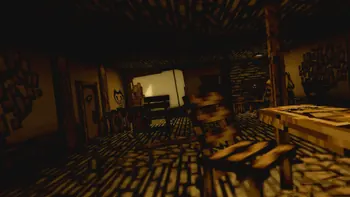
The six records below are useful starting points for different sessions: Bendy and the Ink Machine is a story recreation on Fabric 1.21.10; Aberration is a short motel story on Fabric 1.21.3; Blockify adapts a horror game into a custom map and mode; Hypnophobia is a liminal dreamcore adventure; From The Darkness is an older Forge adventure pack; and MMS Special Forces vs Horror is built around group play. None should be treated as a universal best pick.
The right choice depends on your launcher, the exact Minecraft release, how much content you want to download, and whether you are playing alone or with friends. If you are actually looking for a stalking entity inside survival, use the site's best Minecraft horror mods guide instead of forcing a map into that job.
DATED SOURCE RECORDS
The table uses the newest visible Modrinth version returned by the official API on November 7, 2026. File sizes are the published primary file sizes, converted to a readable unit. They describe download weight, not guaranteed frame rate or safety. A small mrpack can still install many dependencies, while a large package may contain a complete story world and resource assets.
The project type matters. Modrinth labels several of these records as modpacks because the map is distributed as an importable profile. That does not make them ordinary survival modpacks, but it does mean you should use the launcher or pack importer recommended by the source page. The official page remains the authority for the current file and license.
The newest date is not automatically the best choice. Hypnophobia's package is much heavier than Blockify's, while From The Darkness and MMS Special Forces vs Horror target an older Java line. If your launcher is already locked to 1.20.1 or 1.19.2, that can be more important than a newer project name. If your profile is 1.21.x, start with the matching row rather than changing the game version just to follow a recommendation.
THE FILE BOUNDARY
A useful download decision starts with the kind of file you are being offered. A Java mod is commonly a .jar installed into a Forge, Fabric, NeoForge, or Quilt profile. A map can be a world folder or a packaged story experience. A .mrpack usually describes a modpack-style import that may include a world, resource pack, configuration, and dependencies. A Bedrock world or add-on uses a different import path and cannot be repaired by installing a Java loader.
The table intentionally keeps map-style projects together because searchers often call all of them maps. The guide does not call a modpack a standalone map, and it does not promise that a project supports Bedrock just because the word Minecraft appears in its listing. Read the source page's game versions and loader labels before downloading.
Best when you want a controlled route, puzzle, set piece, or short horror session. Keep the save in a separate instance and follow any map-specific command or resource-pack notes.
See pack boundariesBest when you want horror mechanics in survival. Use the exact loader and version, then start with the site's horror-mod comparison instead of a map download.
Compare horror modsBest for Bedrock players, phones, consoles, and Marketplace-style distribution. Java .mrpack and .jar files are not Bedrock imports.
Open Bedrock guidePICK THE EXPERIENCE
The phrase best Minecraft horror maps hides several different expectations. Some players want a short story that can be finished in one sitting. Others want a liminal environment, a co-op objective, or a game-inspired recreation. Decide that first, then filter the table by version and loader. Project descriptions and gallery images can explain the mood, but they are not a controlled performance or content rating.
For a visual story recreation, inspect Bendy's official gallery and its Fabric 1.21.10 record. For a compact narrative, Aberration's motel premise is easier to understand than a sprawling pack. For a liminal or dreamcore session, Hypnophobia's gallery shows the kind of space it is trying to build. These are editorial fits based on the live project descriptions, not a claim that one is objectively scarier.
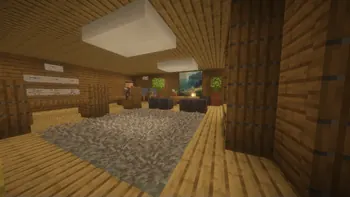
Choose Bendy or Aberration when you want a directed sequence with a recognizable setting and a finishable route.
Choose Hypnophobia when empty spaces, dreamcore scenes, and exploration matter more than a normal survival loop.
Choose MMS Special Forces vs Horror only when every player can use the same Forge 1.19.2 profile and the source page's multiplayer requirements.
Read multiplayer checksSAFE INSTALL FLOW
The question tab included ‘how to download horror maps in Minecraft’, but the correct answer depends on the file. The steps below work as a source and compatibility checklist. They avoid promising a direct file URL because Modrinth can change versions, dependencies, and delivery paths after this page is published.
If the source page offers a launcher import, use that documented route. If it provides a world folder, follow the edition-specific save path. If it provides a .mrpack, use a compatible launcher or importer and let it resolve the listed dependencies. Do not rename a .mrpack or .jar into a different format.
Open the official Modrinth project page, check the creator, project type, release date, game version, loader, and current file list. Treat reposts and search-result mirrors as unverified.
Make a new launcher instance for the exact Minecraft version and loader. Do not add the map to a profile that already contains unrelated mods, shaders, or resource packs.
Use the project's recommended importer for a .mrpack, or the documented world import path for a map folder. Keep a copy of the downloaded archive and note its version number.
Launch once, check the title screen and first scene, then play a short section in a copied world. Watch for missing resources, command errors, broken audio, or a loader mismatch.
Keep the working instance separate from your main survival profile. If a release changes, compare the new file and changelog before replacing the tested copy.
EDITION AND GROUP BOUNDARIES
Some map-style projects can be played by a group, but multiplayer support is not implied by a horror label. Check whether the project is client-only, server-required, or simply a single-player story. A .mrpack can install on one person's launcher while another player lacks the same dependencies, resource pack, or world state. Test with two players before inviting a full group.
Bedrock is a separate path. The six records in the table are Java-oriented Modrinth projects with Fabric or Forge lines. They are not Bedrock .mcworld files or .mcaddon packs. For Bedrock map searches, use the site's Bedrock horror guide and confirm that the source page explicitly names Bedrock and the device you use.
The existing multiplayer horror guide owns the broader server and client-sync intent. This page only adds the map-style distinction, so use that guide when your real question is which horror mod every player must install.
BOTTOM LINE
For a directed scare, start with a project whose story, version, and file type are clear. Bendy and the Ink Machine and Aberration are straightforward story-led records; Hypnophobia is a heavier liminal adventure; Blockify is a smaller custom mode; and the Forge 1.19.2 entries suit players who already have that older profile. The best choice is the one your launcher can reproduce cleanly.
Use the official project page as the final authority for files, dates, dependencies, and license terms. If a map has become a modpack import, treat it as such. If you actually need a survival entity, a Bedrock add-on, or a server-wide horror mod, follow the linked page that owns that intent.
Next pages
Compare survival horror mods when you want an entity or mechanic rather than a directed map.
Compare horror modsCheck the difference between a map-style import and a larger Forge or Fabric horror profile.
Compare modpacksUse the Bedrock-specific guide for add-ons, world imports, resource packs, and behavior packs.
Open Bedrock guideExplore the separate Backrooms intent when a liminal map search is really asking for a standalone mod.
Compare Backrooms modsCheck server, client, loader, and sync requirements for a group session.
Plan multiplayerFAQ
There is no universal best map. Start with Bendy or Aberration for a directed story, Hypnophobia for liminal exploration, Blockify for a smaller custom mode, or the Forge 1.19.2 projects if your profile already uses that release. Match the source page to your exact version and loader before choosing by mood.
Open the official project page, confirm the file type and Minecraft version, then use the documented world or .mrpack import route in a clean instance. Keep a copy of the archive and do not rename a Java file into a Bedrock format.
No. A map or map-style package usually gives you a directed world or story, while a horror mod adds mechanics to a survival profile. A .mrpack can bundle a map with dependencies, so check the project type instead of relying on the word map in a title.
The records in this guide are Java-oriented Modrinth projects with Fabric or Forge versions. They are not automatically Bedrock worlds or add-ons. Use a source page that explicitly lists Bedrock and follow the Bedrock import guide for that file.
Group support is project-specific. MMS Special Forces vs Horror is described as a group-oriented Forge profile, but every player still needs the same version, loader, dependencies, and world state. Test with two players before a full session.
No. File size describes the published package, not quality, fear, or performance. Hypnophobia is much larger than Blockify, but the right choice depends on the story, hardware, launcher, and time you want to spend setting it up.
The page links to stable official Modrinth project pages rather than guessed CDN files. Re-open the project page before downloading because release files, dependencies, and source terms can change.